
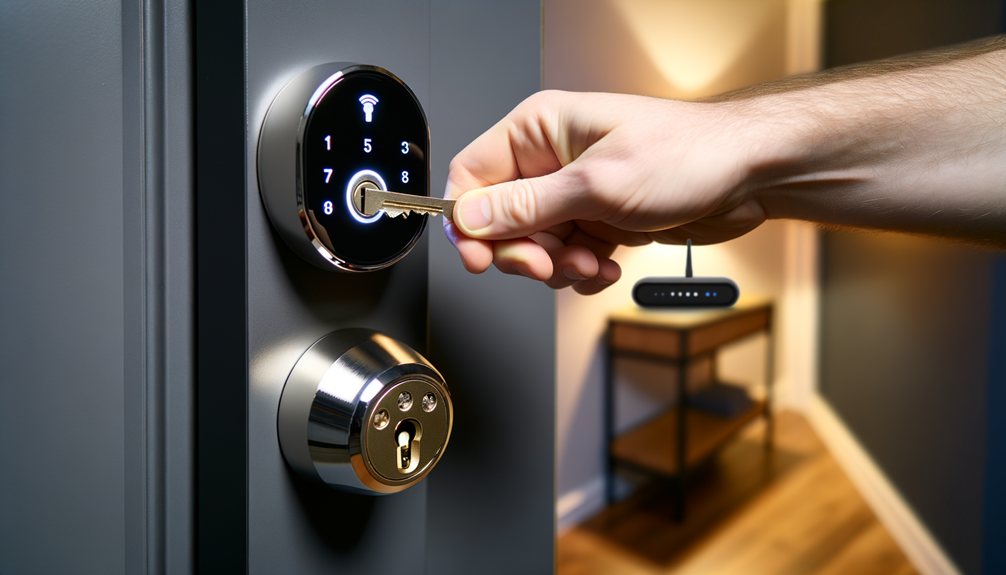
An internet outage won’t lock you out. Smart locks — including models from Schlage, Yale, August, and Kwikset — are built on layered redundancy: Wi-Fi handles remote convenience, while Bluetooth, locally stored PINs, and on-device biometric data keep offline access fully operational. What changes during a Wi-Fi outage is not your ability to get into your home — it’s your ability to manage the lock remotely.
The Short Answer: Yes, But Functionality Changes
Most people conflate “smart” with “internet-dependent,” assuming a dropped router means a disabled deadbolt. It doesn’t. A smart lock’s primary function — actuating the deadbolt — relies on internal hardware, local memory, and battery power. Wi-Fi is strictly an overlay for remote convenience. When your home network drops, the lock reverts to its local access methods without interruption.
How Smart Locks Communicate: The Three Protocols
To understand why a smart lock survives an internet outage, you need to understand how it stores and transmits data across three distinct protocols — and which of those depends on your home network.
Bluetooth (BLE): The Direct Handshake
Bluetooth Low Energy connects your smartphone directly to the lock’s internal receiver. It requires no Wi-Fi, no router, and no cloud server involvement. Within roughly 30 feet of the door, an authorized smartphone authenticates against the lock’s local memory and the deadbolt moves — entirely offline. This is the most common daily unlock method for most smart lock owners, and it’s unaffected by your internet status.
Z-Wave and Zigbee: The Mesh Network
Locks using Z-Wave or Zigbee don’t communicate with Wi-Fi routers — they communicate with a local smart home hub such as SmartThings, Hubitat, or an Apple TV acting as a HomeKit hub. If your internet goes down but the hub supports local processing, your home automations involving the lock continue functioning without any external internet connection. The hub handles everything locally.
Wi-Fi: The Cloud Tether
Wi-Fi is the bridge between your smart lock and the manufacturer’s cloud servers — the protocol that lets you interact with the lock from anywhere in the world. It has no role in the mechanical operation of the deadbolt. Remove Wi-Fi and the remote layer disappears, but the lock itself keeps working.
What You Lose During a Wi-Fi Outage
When the internet drops, the cloud-dependent convenience layer goes with it. Remote actuation stops working — you can’t lock or unlock the door from your office or another city. Real-time notifications stop as well, so you lose live visibility into who’s entering and when. Adding or revoking access codes remotely also fails: PIN management requires an active internet connection to push updates from the cloud down to the lock’s internal memory. Voice assistant commands through Alexa, Google Assistant, or Siri fall silent too, since those systems depend on cloud processing to authenticate and relay requests.
None of these losses affect your ability to physically enter your home. They affect convenience and remote oversight — not access itself.
What Keeps Working When the Internet Goes Down
The core security and access systems of a smart lock are built to function offline. Keypad PINs remain fully operational because access codes are stored on the lock’s internal memory chip, not in the cloud — any previously programmed code works exactly as it would on a normal internet day. Fingerprint scanners process biometric data locally, comparing input against a hash stored directly on the lock’s hardware rather than a remote server. Proximity-based Bluetooth auto-unlock continues to trigger as you approach the door, provided your smartphone is authorized. And if the lock includes a physical keyway, the mechanical override is entirely unaffected by any digital state — internet outage, dead battery warning, or firmware issue.
Best Use Cases for Offline Smart Locks
Because smart locks function reliably without internet, they’re a practical choice for locations where Wi-Fi is permanently unavailable or unreliable. Detached garages, remote rental cabins, exterior gates, and new construction sites without an active ISP connection are all viable deployments — provided you choose the right hardware. For short-term rental properties specifically, offline-capable locks solve a real operational problem: guests need access on arrival regardless of whether the property’s router is functioning, making them a practical choice for Airbnb hosts managing properties with inconsistent connectivity.
In these contexts, prioritize locks with physical keypads or fingerprint readers — both store credentials locally and guarantee access without requiring a companion app or cloud server. Minimalist locks that rely solely on app-based Bluetooth unlocking are a poor fit for offline environments: if the phone is dead or the app misbehaves, there’s no fallback. For apartment installations with specific fitting or modification constraints, the best smart locks for apartments covers offline-capable options that work within lease restrictions. For a broader look at models with strong offline performance across all categories, see our best smart locks of 2026 guide.
The Bottom Line
Smart locks are designed with offline redundancy as a baseline, not an afterthought. A Wi-Fi outage degrades remote convenience — notifications, remote actuation, voice control — but leaves your primary access methods completely intact. Bluetooth unlocking, stored PIN codes, biometric authentication, and physical keys all function independent of your internet connection. As long as the batteries have charge, a dropped router is a minor inconvenience, not a security failure.